

Intelliwri is a focused novel-writing editor for Mac. Plan your arcs, characters, world and timeline, write distraction-free, and work with an AI assistant that knows your whole book — it comments, proposes edits you accept or reject, and checks every chapter for consistency and craft. Free, with no account and no subscription.
Free · macOS 26 or later · No in-app purchases
Recorded on a Mac with a model running on-device. Waiting trimmed and typing sped up; nothing staged.
What it does
Unlike a generic chatbot, Intelliwri carries your story's structure into every analysis — so feedback knows the concept, the stakes and the rules of your world, not just the paragraph in front of it.
Write on a print-sized page with live Markdown: headings, bold, italics, highlights, footnotes, scene and page breaks — all on familiar shortcuts in the Format menu.
Dedicated sections for Chapters, Arcs, Notes, World History, Heroes and Goals — each its own list and editor.
Comment on a passage or on the whole chapter and tag it To Do, Important, Idea, Done or Cancelled — then filter by tag. Notes from older books move in automatically.
Chat about your book, or write @ai in a comment. In Suggest mode edits arrive as tracked changes you accept or reject; in Edit mode a whole turn can be undone at once.
See who appears and how much screen time each character actually gets, chapter by chapter.
AI checks each chapter separately against every arc, note, world rule, character and goal — flagging contradictions with quoted excerpts you can turn into comments on the spot.
Your chapter measured against craft best-practices for structure, conflict and payoff, plus a whole-book audit against the 12 stages of the hero's journey.
Map every character's path and world events on a multi-track board. Drag to connect cause and effect, and mark scenes as in-book or backstage.
Nothing but your words: no panels, no toolbars, not even a page. Formatting, the window buttons and chapter navigation stay barely visible until you point at them; ⇧⌘F in, Esc out.
Stuck on a world, arc or note entry? AI proposes follow-up questions worth answering — pick the ones you like and integrate them in one click.
Connect OpenAI, OpenRouter, Ollama, LM Studio or any compatible server — or download a model that runs privately on your Mac.
Export to PDF, EPUB, Word and Markdown, with KDP print templates, parts, table of contents and your book's publishing metadata.
A look inside
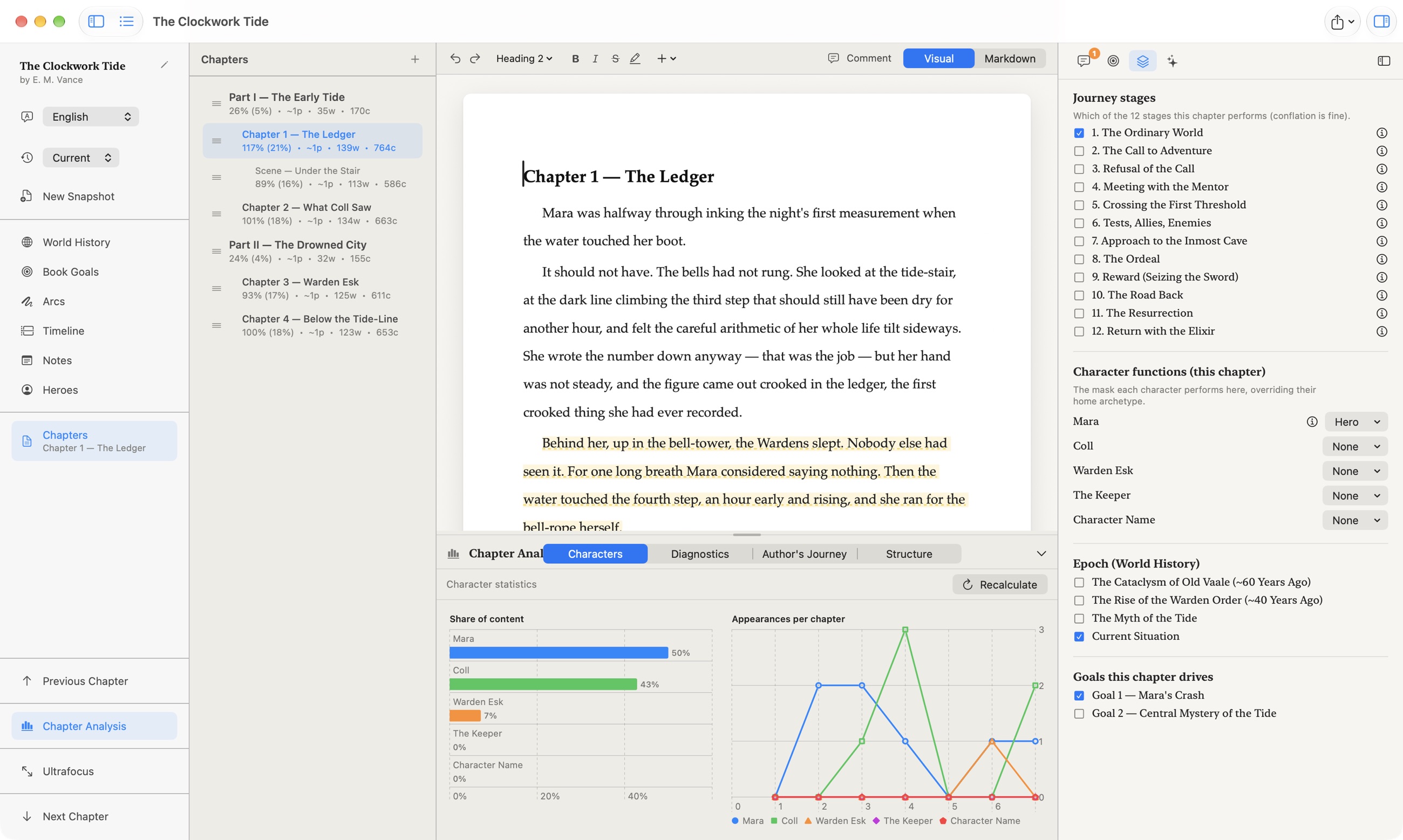
Character presence, chapter by chapterShare-of-content and appearance charts show who's carrying each chapter — and who's gone quiet for too long. Beside them, the chapter's journey stages, character masks, epoch and goals.
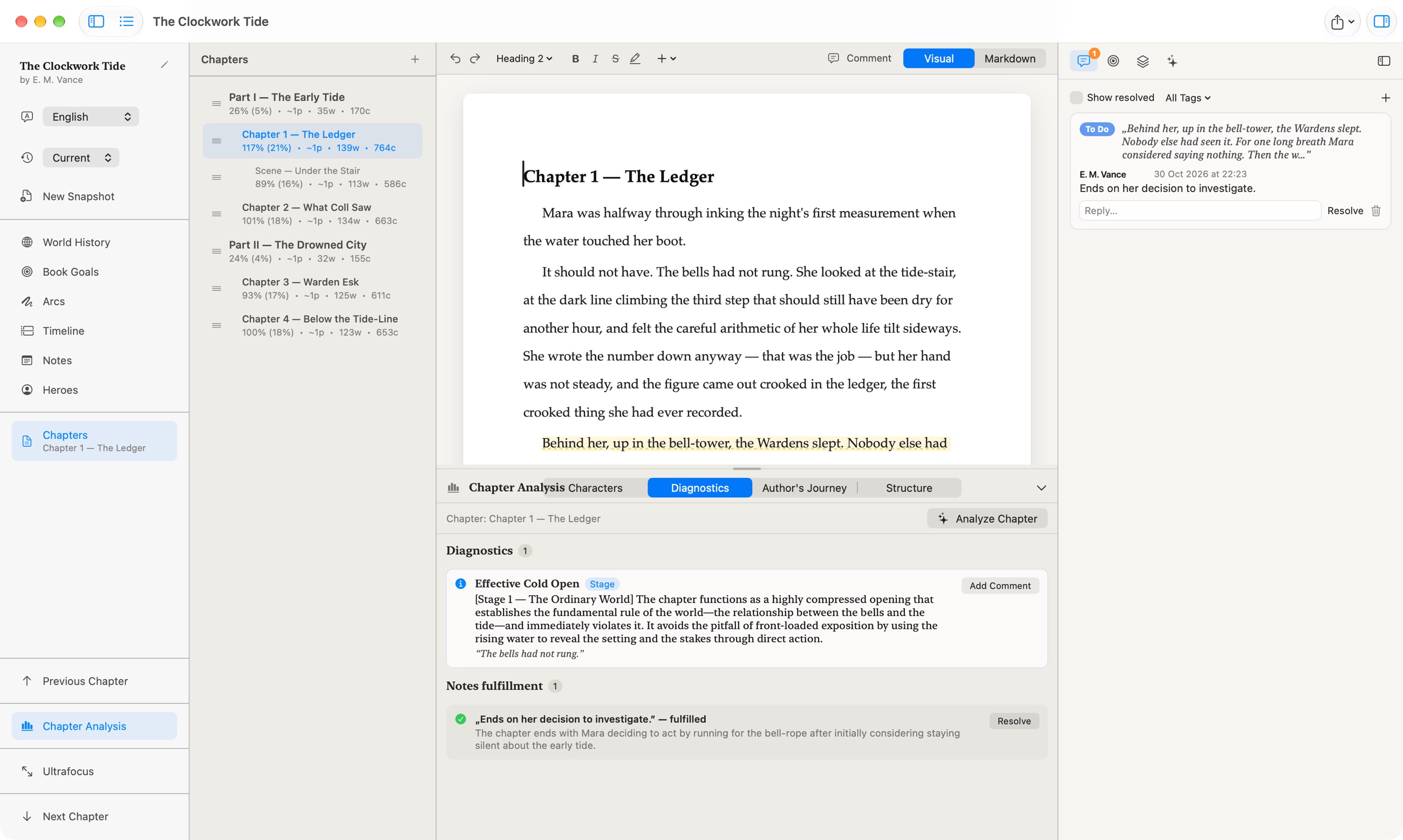
AI diagnostics, with receiptsEvery finding quotes the exact line and names the stage, arc, note or world rule it concerns — add it as a comment in one click. Open notes and to-dos are checked against the chapter and marked fulfilled when the text delivers.
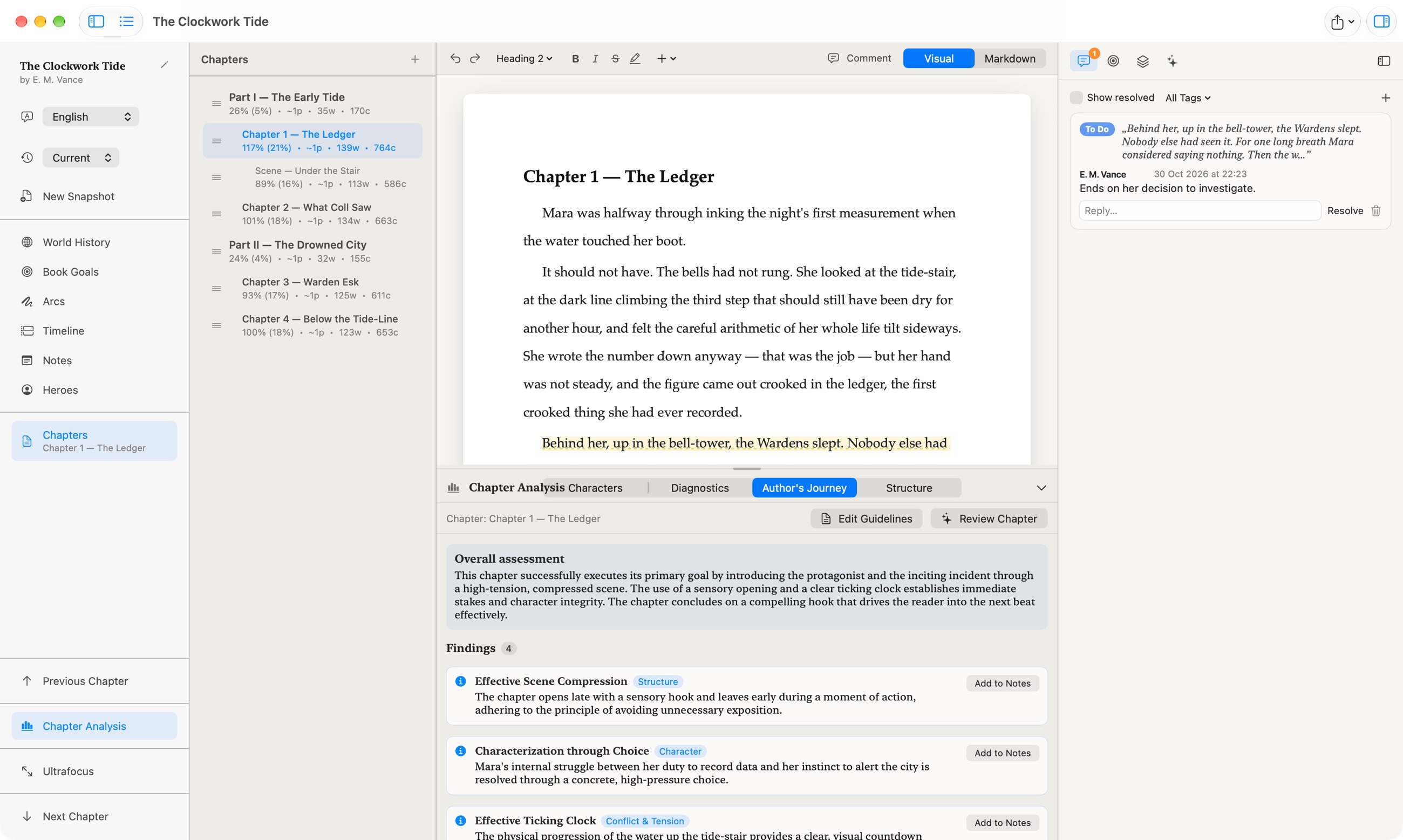
Author's Journey reviewAn overall assessment plus specific findings on structure, character goals and tension. Turn any finding into a comment on the passage it quotes in one click.
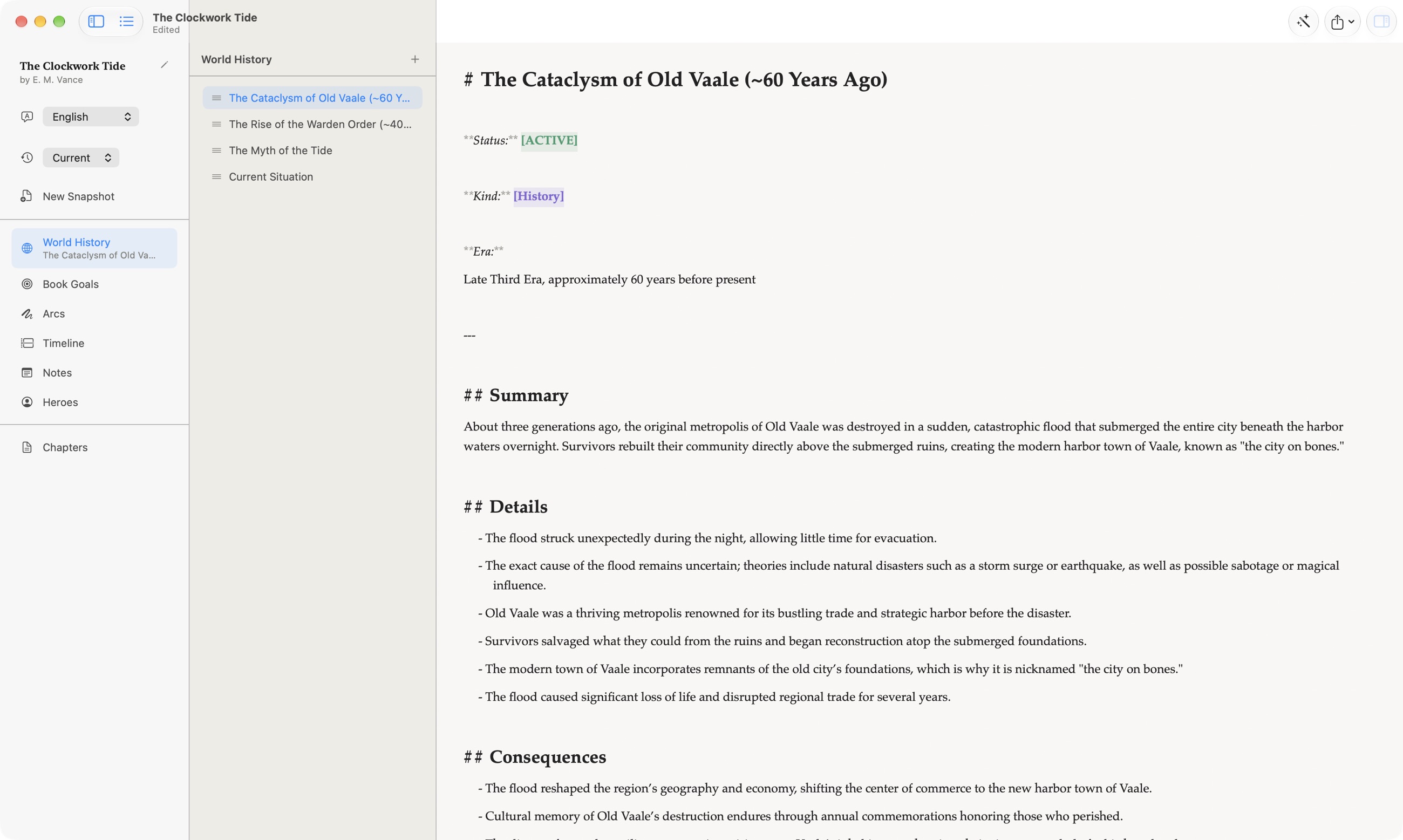
Everything about your book, organizedWorld History, Book Goals, Arcs, Timeline, Notes and Heroes each get their own dedicated section and editor.
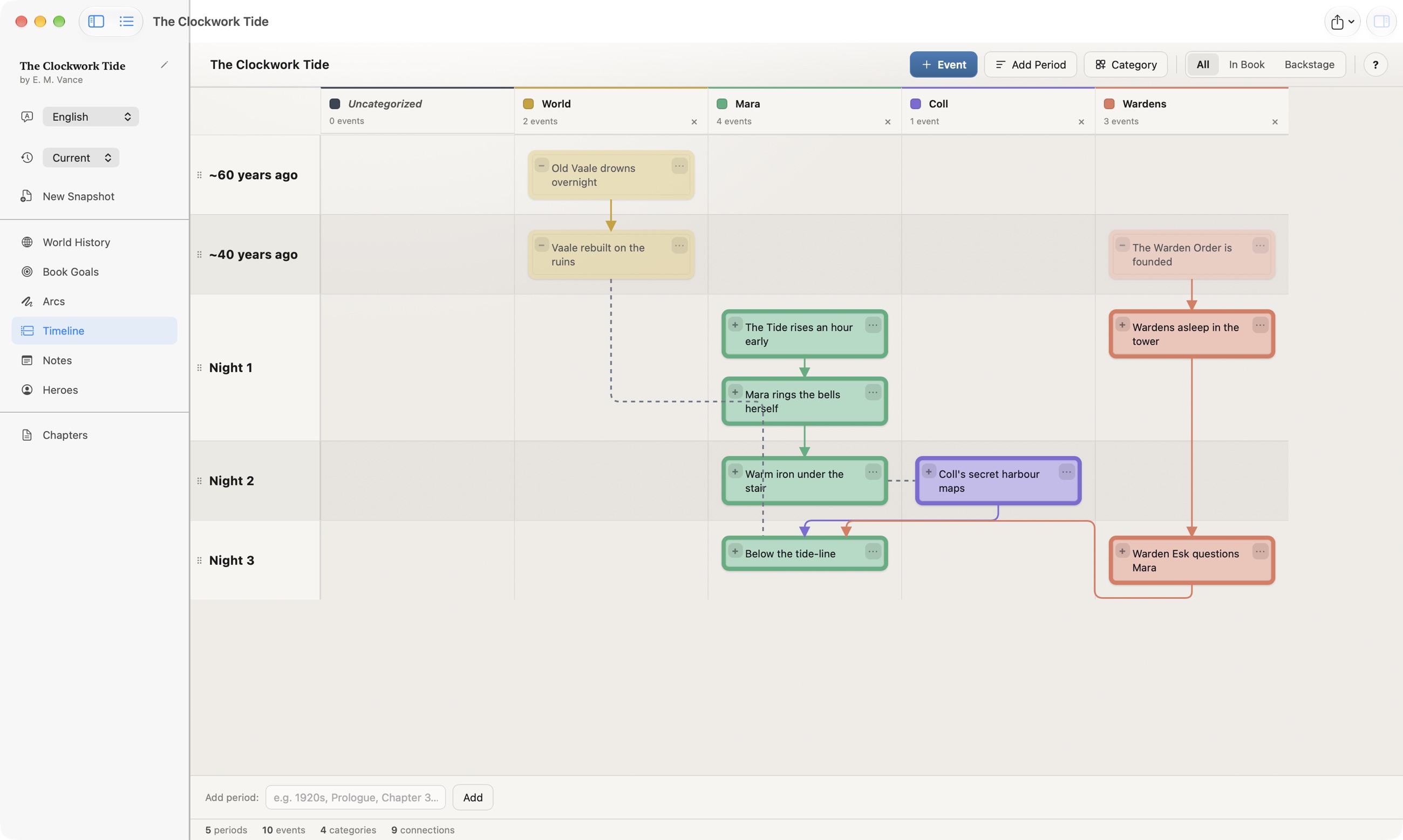
TimelineLay out events per character or category on parallel tracks, connect cause and effect across them, and mark what's on the page versus backstage-only.
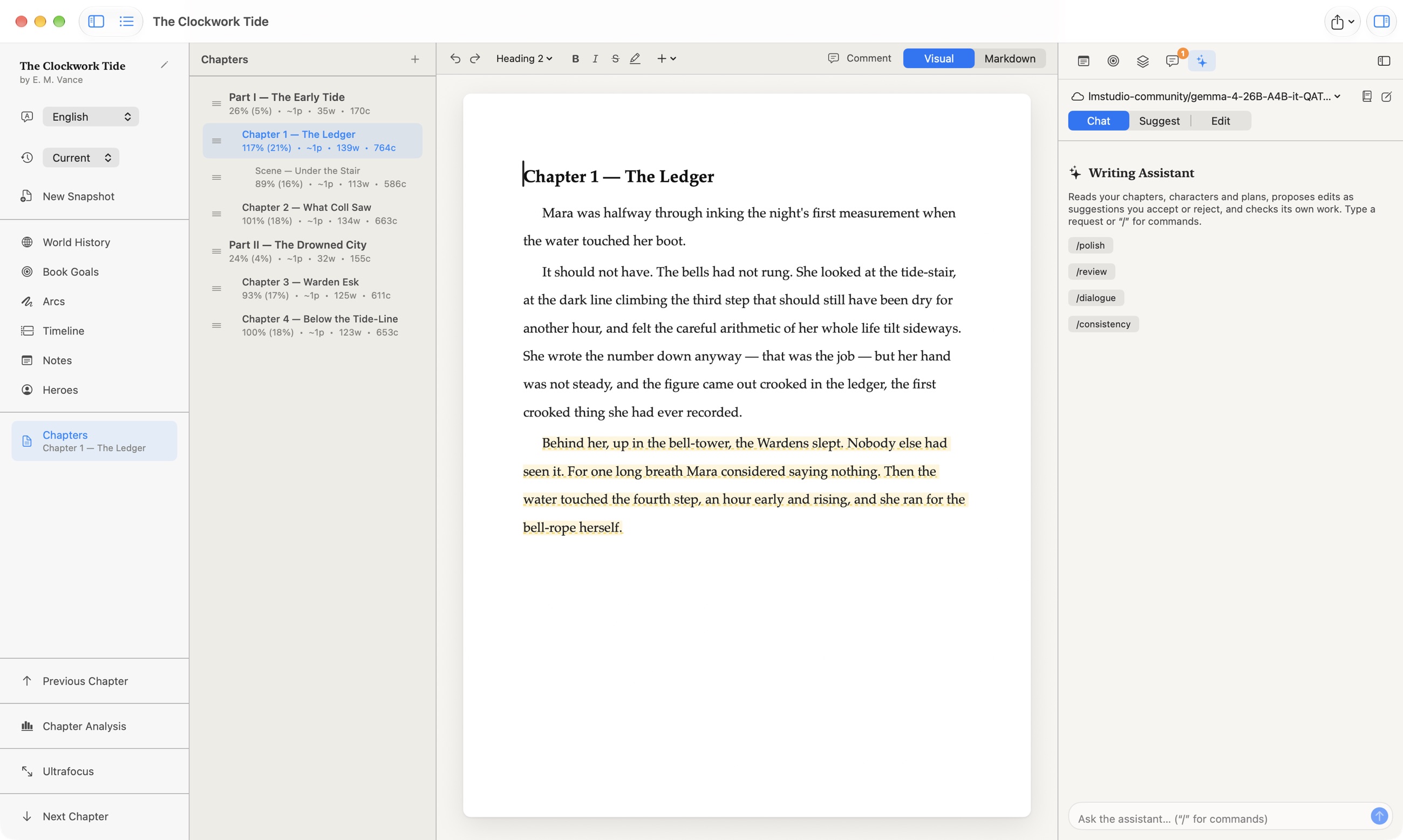
A writing assistant that has read your bookIt sees every chapter, character, arc and plan. Ask for a polish, a dialogue pass or a consistency check — choose whether it only talks, suggests tracked changes, or edits directly.
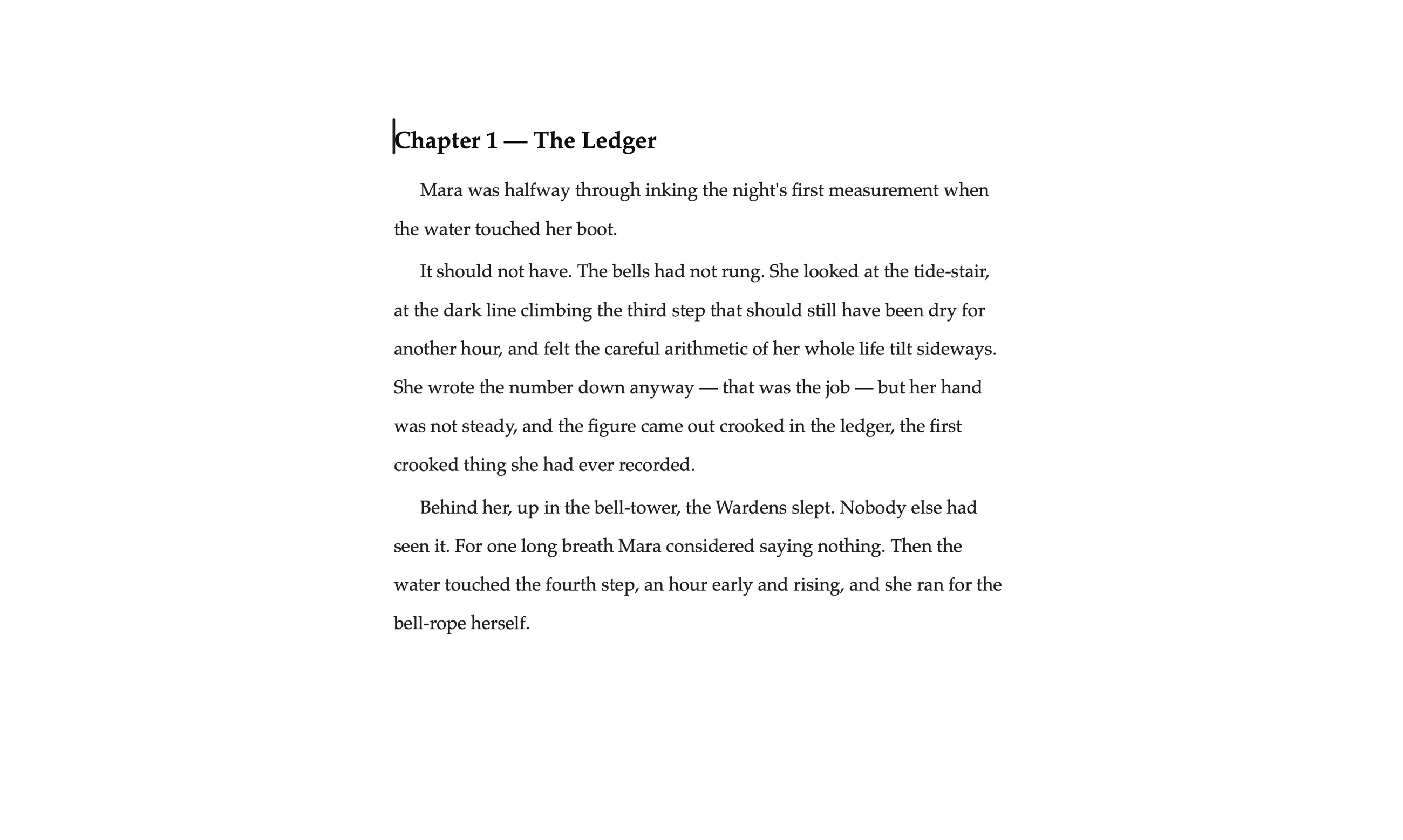
UltrafocusEvery panel, toolbar and even the page frame disappears — just your words on a quiet background. The formatting bar and chapter controls fade in only when you reach for them.
Your AI, your key
Intelliwri doesn't route your manuscript through our servers. Connect your own AI provider — your text goes straight from your device to it — or download a model that runs entirely on your Mac, so nothing leaves it at all.
How it compares
Honest, side-by-side notes on how Intelliwri differs from the tools writers ask about most.
Scrivener is the classic binder-and-corkboard writing studio. Intelliwri adds an AI that has read your whole book, and costs nothing.
Read the comparison →Sudowrite is an AI-first web app on a subscription. Intelliwri is a native Mac editor that connects to the AI you choose, or to none.
Read the comparison →Questions
Yes. Intelliwri is free on the Mac App Store, with no subscription and no in-app purchases. If you connect a cloud AI provider you pay that provider directly for what you use; a model downloaded to your Mac costs nothing per word.
No. There is no sign-up, no login and no analytics. Your books are ordinary documents on your Mac.
Any OpenAI-compatible provider: OpenAI, OpenRouter, Ollama, LM Studio or your own server. You can also download a model that runs privately on Apple silicon, with no key and no network.
Writing and planning always work offline. AI features work offline too when you use a model downloaded to your Mac.
It stays on your device. When you use AI, the relevant text and story context go straight from your Mac to the provider you chose. Intelliwri has no servers in between and never sees your writing.
PDF, EPUB, Word (.docx) and Markdown, with KDP print templates, parts, a table of contents and your book's publishing metadata.
Yes. The interface is in English, and AI analyses and replies come back in the language of your manuscript.
There is no project import yet. Export your chapters as text from your current tool and paste them into Intelliwri chapters.
Intelliwri is available for Mac today. An iPad version is being prepared.
Private by design
No account. No analytics. No tracking. Your books are plain documents on your own Mac, and Intelliwri never collects or sees your writing.
Free. Requires macOS 26 or later. AI features use your own OpenAI-compatible provider or a model downloaded to your device.